

5-Card Friday
A Bi-Weekly Update from the ITS UX Team
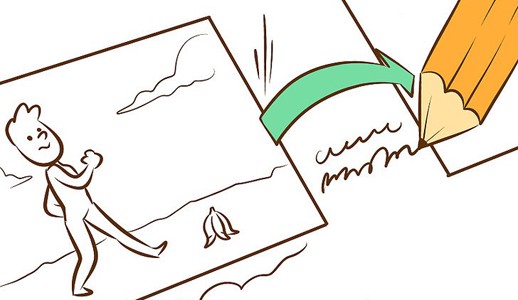
Storyboarding in UX Design
In user experience design we’re familiar with user research techniques like workshops and interviews. We synthesise our research into user stories and process flows. We communicate our thinking and solutions to our teams with artefacts like personas and wireframes. But somewhere in all of this lies the real people for whom we’re designing. In order to make our product better, we must understand what’s going on in their worlds and how our product can make their lives better. And that’s where storyboards come in.
Flip the card over to learn more.
Storyboarding in UX Design
Storyboarding in UX is tool which help you visually predict and explore a user’s experience with a product. It’s a very much as thinking about your product as if it was a movie in term of how people would use it. It would help you to understand how people would flow through the interaction with it over time, giving you a clear sense of how to create a strong narrative.
Read Full Article

Accessible Content Design for Emojis
Emojis have changed the way we convey emotion in the digital world—especially as brands adopt them to relate to customers. But people who rely on assistive reading technology might have a difficult time understanding content that relies on emojis to communicate its core message. So how can we make emojis accessible through our content design?
Learn more on the back of this card.
Accessible Content Design for Emojis
There’s a range of ways to approach this accessibility consideration, some of which involve a more significant effort than others. Let’s start with three key issues:
- When rendered as speech, an emoji’s default description may change the core message of its accompanying text.
- When spoken, an emoji’s default description may cause the message to omit critical information.
- Emojis with similar colors and shapes may be indistinguishable to people with varying levels of vision ability, even when using screen magnification.
Read Full Article

The Value of Copywork in UI Design
Reproducing existing designs can help an individual understand why and how those designs work.
Flip the card over to learn more.
The Value of Copywork in UI Design
The most important thing to note is copywork, as we call it, is very different from plagiarism. We never encourage passing off someone else's work as your own. However, we strongly believe in the practice of copying designs in educational settings because it doesn't just help with learning technical tools, like Figma, Sketch, or Adobe XD—it forces interpretation.
No doubt, reproducing successful designs will also reveal conventions and design patterns. Design patterns are reoccurring solutions that solve commonly seen problems in UI design. While browsing the web may help you generate an exhaustive list of design patterns, copying existing designs will help you get a clear understanding of why those solutions exist and how they're best applied.
Read Full Article

The UX of Notifications | How to Master the Art of Interrupting
Notifications are good for user experience. There, I said it. The word “notification” might conjure images of annoying interruptions for your users, but it should also remind them of moments where they were quietly guided to a more desirable experience. Notifications can guide users through key setup steps in onboarding, reward a positive interaction, and encourage exploration. They can stretch a product into an omnichannel experience and allow global brands to speak to each user as an individual. But notifications are only valuable to the user experience if they’re designed by the user experience — and it’s alarming how often this is ignored.
Flip the card over to learn more.
The UX of Notifications | How to Master the Art of Interrupting
Think about every push notification that’s duplicated in-app instead of being converted to a digest, and every gratuitous red circle you see on a mobile app just to find an impersonal event alert or system update in your inbox. Notification UX should be an extension of the core product UX but many brands fail to make the connection between the two. It’s possible this product was rolling out the door and the notification “strategy” was just a box the product team needed to check. Unfortunately, a failure to consider the complexity of notification UX could have huge consequences for the rest of the product. Poorly timed notifications are interruptions and impersonal messages are spam. Too many bad notifications can frustrate users, stall their progress, and even lead them to abandon your product entirely.
It shouldn’t come as a surprise that these push notifications increase each of these brand’s retention rates. These apps are reaching out to me when I’m outside of their product, and I’m more likely to open their product because of the personalized messaging I’m seeing. Localytics observed that mobile apps with in-app messaging have a 30% better chance of retaining users than apps without. Push notifications are also known to lift this retention rate and have a 97% higher response rate than emails. Furthermore, best practice states users are more likely to be nurtured from new to advanced if they’re fed a balanced diet of omnichannel notifications..
Read Full Article

The Differences Between UX Writing and Content Strategy
With all the various things a writer might end up doing, what exactly are the differences between a UX writer and a content strategist? Since these tend to be ever-changing roles, you might get slightly different answers depending on who you ask.
Flip the card over to learn more.
The Differences Between UX Writing and Content Strategy
The biggest takeaway in my experience (TL;DR) — content strategists tend to focus on big picture content while UX writers tend to get into the minutia of the details. Despite this, the skills for both roles often overlap and both roles require collaboration across departments.
The true take-away is that good writers have skills they can use across content roles. They also understand that writing doesn’t usually happen in a bubble and great writing is the result of great collaboration between teams, stakeholders, clients and users. So, I guess the true question isn’t “what are the differences between UX writing and content strategy” but rather, “what skills do I need to succeed at either of them.”
Read Full Article