

5-Card Friday
A Bi-Weekly Update from the ITS UX Team
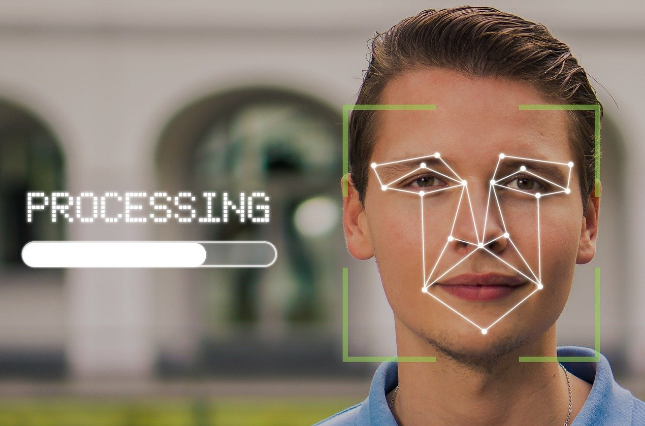
Every Machine Learning Team Needs a UX Researcher
Machine Learning (ML) is like some obscure magic that everyone talks about, but only a few have any knowledge of how ML works. This lack of knowledge makes it difficult for both senior management and product teams to realize the benefit of having a UX researcher involved in an ML project.
Flip the card over to learn more.
UX & Machine Learning
There are three critical points in the ML workflow where UX should be involved:
- At the initial idea phase of the project: a UX researcher can help validate that the project makes sense to users and help identify any potential issues before the ML team starts collecting data or building a model.
- At the data collection stage, utilizing the initial interviews and research findings, a UX researcher can help the ML team understand gaps or holes in the data.
- A UX researcher can evaluate if the model meets the users’ needs and expectations after the model has been trained.
Read Full Article
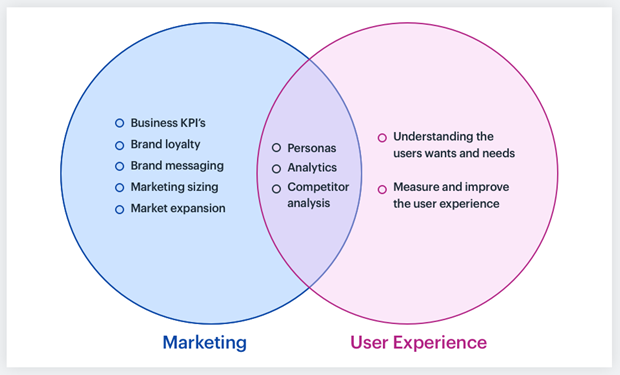
What the Heck is Marketing UX?
Marketing can be a great place to apply UX. Marketing isn’t about going around saying, "The product I’m selling is the #1 solution for you." It leverages psychology and human behavior to successfully sell a product. And this is where UX comes in.
Learn more on the back of this card.
UX & Marketing
Marketers are focused on the product they are selling and who is buying it. They build campaigns, branding, and marketing strategies based on these two factors. UX, on the other hand, is focused on why someone chooses to make a purchase decision. UX practitioners think about the needs, desires, and wants of the target audience and observe their behaviour while interacting with landing pages and ads.
Modern marketers are changing the way they view consumer behaviour. Instead of looking at them as numbers they now view them as people with legitimate problems.
Read Full Article
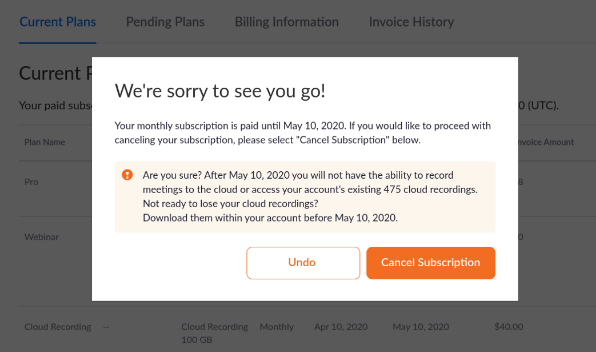
10 Cancellation Flow Examples and Why They Work
In this article, the author looks at how some top SaaS companies are deflecting user cancellations and keeping churn rates in the green, as well as how you can implement intelligent UX to deflect product cancellations.
Flip the card over to learn more.
Cancellation Flow & UX
Everyone is struggling right now. For SaaS companies, one of the biggest challenges is how to reduce customer churn and deflect product cancellations. Be warned! Reducing customer churn isn’t just about quick hacks like emergency price reductions or hiding the cancellation button. Tactics like that will hurt your retention in the long run.
For your target persona, the best way to reduce customer churn in a crisis like this is to help your users see your product as an asset, not just an expense.
Read the full article to see some examples and examine theories and best practices for understanding how and why SaaS companies implement these cancellation flows.
Read Full Article
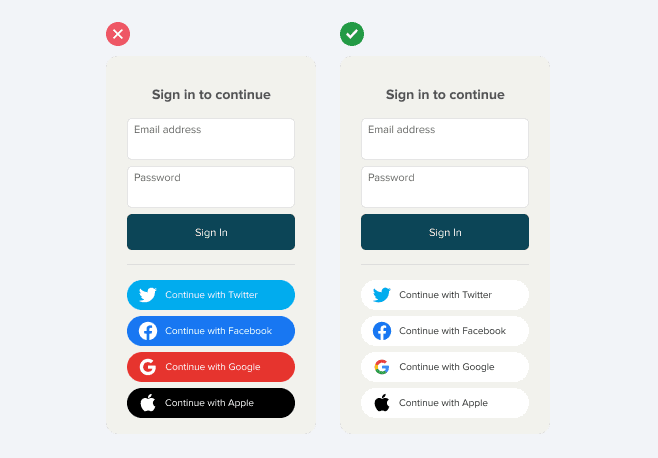
8 Innovative UX Practices to Simplify Logins
A login form is like the entrance to a house. It should be welcoming, easy to enter, and never mistaken for a different door. When your logins are like this, you’ll encourage users to log in more frequently. Unfortunately, most login forms today aren’t user-friendly entrances.
Flip the card over to learn ways to simplify logins and improve the user experience.
Simplifying the UX of Login
The following UX practices can be used to simplify logins (Note: There are 8 other practices mentioned in the article, but they are behind a paywall):
- Don’t mix “Sign in” with “Sign up.” Differentiate the button labels.
- Don’t make login and sign up forms look the same. Differentiate them with contextual cues.
- Don’t put “Forgot Password” near the field. Place it in the login footer.
- Don’t put “Sign up” near the top. Place it in the login footer.
- Don’t make social login buttons compete with each other. Use colored logos on white buttons.
- Don’t overdo the number of social logins. Allow for no more than four.
- Don’t overexpose social login buttons. Disclose them on click.
- Don’t use a “Remember me” checkbox. Use a “Log me out after” one.
Read Full Article

How Microinteractions Improve Your UX Design
Microinteractions play a large role in our digital lives, even if we don’t always notice them. From the time your phone’s alarm wakes you in the morning to liking your friends’ posts on Facebook to the notifications about new emails and Instagram messages—we encounter microinteractions all day.
Learn more about microinteractions on the back of this card.
Microinteractions & UX Design
Microinteractions are small moments where the user and design interact. When they’re well designed, micro interactions enhance the user’s experience with the design. When they’re poorly designed, they damage the experience.
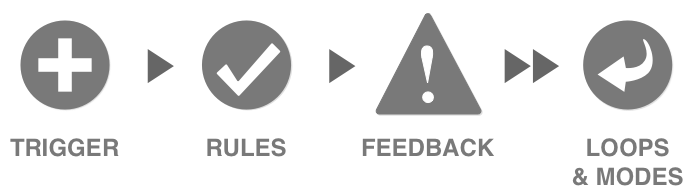
Microinteractions have four parts:
- Triggers initiate a microinteraction. Triggers can be user-initiated or system initiated.
- In a user-initiated trigger, the user has to initiate an action.
- In a system-initiated trigger, software detects certain qualifications are being met and initiates an action.
- Rules determine what happens once a microinteraction is triggered.
- Feedback lets people know what’s happening. Anything a user sees, hears, or feels while a microinteraction is happening is feedback.
- Loops and Modes determine the meta-rules of the microinteraction. What happens to a microinteraction when conditions change?
Read Full Article